Monday, February 3, 2014

Equivalent Exchange 3 Mod 1.6.4/1.6.2/1.5.2/1.5.1

Equivalent Exchange 3 Mod 1.6.4/1.6.2/1.5.2/1.5.1


Equivalent Exchange 3 Mod 1.6.4


To summarize: this mod allows you to transmute tons of materials into other materials. It adds a lot of what is classified by many as “endgame content”, to make you feel more godlike in your sandbox world. If this offends your Minecrafting sensibilities, this may not be the mod for you.

These items are psychotically expensive, so before you bash them, try acquiring the items legitimately. You’ll find it’s not exactly a cakewalk.


Installation:

Universal install instructions for both client and server
Install the required version of Forge in to you minecraft.jar
Start and stop Minecraft to test to make sure that Forge was added successfully
Put ‘Equivalent Exchange 3 Mod jar file’ in to your /mods folder
Load up Minecraft and play!

If you have trouble during the installation make sure that you start with a fresh jar files, and try loading your Minecraftafter every step above. This will help you figure out specifically where and what went wrong in the installation.


Requirements: Minecraft Forge

Changelogs:


v.pre2a.58
Tidied up logging (Thanks SpartaMercenary) Finish the Aludel (Some fixes thanks to Dynious) Fix how Glass Bell renders items. Infused logs are rotatable. Alchemical Bag subtypes (No working inventories yet!)
Download Equivalent Exchange 3 Mod 
1.5.1

Jabba Mod 1.6.4

Jabba Mod 1.6.4


Jabba Mod 1.6.4

Jabba (Just Another Better Barrel Attempt) is focused on providing an affordable mass storage block. The barrels are modular and can be upgraded to provide additionnal fonctions (redstone, hopper, etc) or provide more storage. Jabba also provides a dolly used to move around other containers such as (but not limited to) chests, iron chests, BC tanks and more.

Changelogs:

v1.1.0b
Fixed hopper missing check for stack size when inserting in a ISidedInventory
Fixed a recipe problem with LP autocrafting tables
Added german localization (thx to Vexatos !)

Download Jabba Mod 1.6.4

For 1.6.4

Mine & Blade: Battlegear 2 Mod 1.6.4/1.6.2/1.5.2

Mine & Blade: Battlegear 2 Mod 1.6.4/1.6.2/1.5.2


Mine & Blade: Battlegear 2 Mod 1.6.4

(Bullseye 1.0.4.7)

Mine & Blade: Battlegear 2, is a recreation of the popular combat mod for minecraft currently in development. The modfocuses on
Providing players with interesting and balanced combat features, including:
New weapons
Dual wielding of weapons
A shielding mechanic
An extremally high level of customisation for a select number of items
Opensource, meaning anyone is free to add to the code base
Mod Mechanics:

Weapon System / Dual Wielding

Mine and Blade 2 introduces a new weapon system to minecraft. This system will allow the player to have up to 3 weapons sets available to them that can be switched to using the ‘R’ key. The system allows the player to specify a mainhand and an offhand weapon (so allows select dual wielding).

By default any weapon can be placed into the weapon system and any weapon without a special right click function can be dual wielded. The mod will also scan though items for weapons added by mods. For further mod support there is an API (check the github repository)

Items are placed in the weapon system in a new GUI bound to the ‘I’ key

When dual wielding, the left mouse button will attack with the mainhand (right) weapon and the right mouse button will attack with the offhand weapon (left) or block with the shield

Shields

Mine and Blade 2 introduces a shielding mechanic different to the normal sword block. Blocking with a shield will reduce all blockable damage taken from the front 120 degree arc. However a player cannot block indefinably as there is a stamina bar that appears above the normal minecraft health/armour icons.

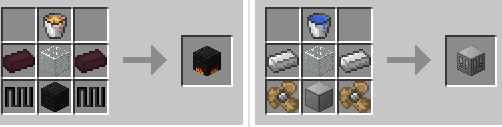
Shields are crafted as follows

When struck by an arrow, the arrow will appear in the shield. Arrows can be retrieved by placing the shield by itself in the crafting matrix (the arrows will be added to your inventory when you retrieve the shield)

A shield bash can be preformed by pressing the ‘Z’ key. This will cause any mob in front of you to be knocked back. Using a shield bash will cause you to loose a third of your stamina bar and render you unable to attack for 1/2 a second.

Weapons & Armour

Waraxe


Although the waraxe does less damage to unarmoured foes than the sword, it is more able to penatrate armoured foes.


Mace
The mace’s blunt surface is perfect for dazing enemies


Spear
The spear is the weapon for those who would rather poke their enemy from a distance


Dagger

The dagger is a quick weapon with lower damage than the sword


Chainmail Armour

Mine & Blade: Battlegear 2 introduces a new way of obtaining chainmail armour. 3 chain links can be obtained by placing 2 iron ingots in a vertical arrangement in a crafting grid. Chain links can then be used to make chainmail armour


Installation Mine & Blade: Battlegear 2 Mod
Download and install Minecraft Forge
Download Mine & Blade: Battlegear 2 Mod
Drag and drop the downloaded jar file into the .minecraft/mods folder. If one does not exist you can create one.
Done

Language Pack Support – Optional
Download the Mine & Blade: Battlegear 2 language pack
Unzip the archive in your lang folder.

Changelogs:

Bullseye 1.0.4.7

Fixed daggers out-of-slot bug
Fixed creative pick block
Fixed blocks wrongly consumed in offhand
Added more support for TinkersConstruct tabs
Internal changes for the API
Incompatibilities may appear

Bullseye 1.0.4.6

Fixed piercing arrow
Organized config file, added more comments
Added default enchantment rendering on spear
Improved durability for mace and waraxe
Added chinese and french locals for MUD
Transition towards 1.7 secured
Perfected block placing with offhand
Added leech arrow: heals with the enemy life
Improved ender arrow: gives block if player sneak

Bullseye 1.0.4.5
Allowed quiver into offhand slots to use with bow
Added more rendering events into the API
Default quiver now allows all registered arrows
Added another effect into the mystery arrow
Added config options to disable items completely
Moved gui buttons slightly to the right

Bullseye 1.0.4.4
Added 3 arrows with recipes: Piercing, Poison, Mystery
Added uncrafting recipes for all arrows
Added options to disable items special rendering
Added options to move shield stamina bar and quiver hotbar
Added bow enchantments: loot, charging
Fixed ender arrow teleport going through bedrock
Fixed picking arrow on the ground returning wrong arrow

Bullseye 1.0.4.3
Added Quiver with 4 slots to put arrows into
Slots are selected with the special action key
Added 3 arrows with recipes: Explosive, Ender, Fire
Changed the way the bow is rendered, to show selected arrow
Quiver is rendered on player’s back when a bow is equiped
Gave skeletons a chance to use a new arrow type See config options to modify this Added an API for modders to use or make quivers
** and change the way the bow fire arrows

Warcry 1.0.4.2
Fixed bug of MCPC in enchantment
Fixed packet without data crash
Added better config options for enchantment ids

Warcry 1.0.4.1
Added block placing by offhand
Added WeaponRegistry and FMLInterModComms access for other mods weapons
Fixed conflict with MCPC in NetServerHandler transformer
TinkersConstruct should have caught our API changes
meaning it should be compatible again in their latest version

Warcry 1.0.4.0
Fixed shields sound
Organized sheathed item rendering into the API
Made shields use the “useItem” keybind
Fixed server crash with TConstruct
Fixed transformers to keep fields and methods order
Added EntityArrow transformer

Mine & Blade: Battlegear 2 – Warcry 1.0.3.8
Fixed config file being a folder on first launch
Added back keys for inventory and heraldry, disabled by default (See in config file the Enable GUI Keys setting)
Added support for Tinker’s Construct inventory tabs
Code improvements for packets

Mine & Blade: Battlegear 2 – Warcry 1.0.3.7
Moved switch buttons to avoid Tinker’s Construct conflict

Mine & Blade: Battlegear 2 – Warcry 1.0.3.5

Simplified EntityOtherplayerMP patch, and other coremod fixes
Added buttons to switch between gui

Warcry (1.0.3.4)
* Fixed EntityOtherplayerMP crash on server

Download Mine & Blade: Battlegear 2 Mod


For 1.6.4

Wild Caves Mod 1.7.4/1.7.2/1.6.2/1.5.2

Wild Caves Mod 1.7.4/1.7.2/1.6.2/1.5.2


This mod gives some much needed love to vanilla caves, adds stalactites, stalagmites, vines, glowing mushrooms, icicles and there’s more to come. This mod is based off greyjusticar’s mod which was based on Dilla’s mod, hence the 3.

Features:

  • Decorates caves to make them more interesting
  • Stalactites and Stalagmites generate in caves.
  • Stalagmites will only generate under stalactites.
  • Stalactites, Stalagmites and vines generate dynamically and can be as long as you want (config option)
  • Entities can get damaged when falling on stalagmites
  • Different features depending on biome
  • Stalactites and stalagmites in all biomes
  • Vines on humid and jungle like biomes
  • Icicles on cold biomes
  • More water sources on wet biomes
  • sand and sandstone generates on arid caves
  • sandstone stalactites/stalagmites on arid biomes
  • ice generates on frozen biomes
  • iceshrooms on frozen caves
  • stone stalactites/stalagmites drop cobblestone and they can be collected intact with silk touch
  • sandstone stalactites/stalagmites drop sandstone and they can be collected intact with silk touch
  • spiderwebs now generate on caves
  • Glowing mushrooms and iceshrooms drop glowstone dust when destroyed and can be sheared
  • Properties file with many options to customize the mod to your liking, change block ids, the frequency a certain feature occurs, length of vines and stalactites/stalagmites, etc.
  • Compatible with ExtrabiomesXL
  • skulls/heads spawn on dungeon chests
  • skeleton skulls spawn rarely on caves


Installation:

Install Minecraft Forge.
Download Wild Caves Mod zip file from the link at the bottom of this post
Put Wild Caves Mod zip file into your /.minecraft/mods folder. Do not unzip it.
Done.

Changelogs:

v0.4.2
  • The mod is now compiled with srgnames
  • Fixed the sound made by the mushrooms.
  • Added config option for the mushroom’s light level.
  • Added block id white list for world gen to the config.
  • Added a new block, the bone pile, generates a bit on every biome and drops bones, arrows or rarely skulls.
  • Added config option for bone pile generation
  • Dixed a couple of derps on the code that were probably causing those weird structure generations.
  • Decreased even more the max tempeature for frozen generation
  • Download Wild Caves Mod 
  • 1.7.4
  • 1.7.2
  • 1.6.2
  • 1.5.2

Mariculture Mod 1.6.4/1.6.2

Mariculture Mod 1.6.4/1.6.2


Mariculture Mod 1.6.4


(v1.2.0)

Mariculture is a mod aimed at expanding usage of ocean and water biomes, or making them easier to explore/exploit. Adding various types of fish to catch and breed. Machines to assist in your life, Turbines to power your machines. Magical power of pearls, new transport, things to see or even just some custom blocks. Mariculture has 6 different modules, you can turn on and off in the configs.

Modules
This mod comes in 6 Modules, Core, Diving, Factory, Fishery, Pearls, Transport and World. All of them except for Core can be toggled on and off in the config file, here’s a little bit about each Module.

Core
This module is required for all other modules to function, it contains the main handlers, and crafting components used in all the other modules. It also includes oysters and the basic ore generation of which the ores can all be toggled on and off from within the configs. It also the contains the liquifier and settler, two key components for processing ores and essential for a fair bit of crafting involved throughout the mod.


Diving
The Diving Module’s purpose is to give you way to explore the depths of the ocean in a much safer manner or to help with building underwater, with less of a fear of drowning, and travelling further and faster.


Factory
The Factory module adds methods for generating power, be it water or natural gas. It also provides access to some other useful functional blocks, for decorative, or just assistance purposes.

Fishery
The Fishery module expands on the fishing system, allowing you to catch different species with different rods and requiring bait, it also introduces two automatic fishing methods, the fishing net and the autofisher, the latter of which needs to be powered. There are also tanks and incubators, so you can breed different fish, each fish species is unique and has it’s own purpose in life.

Magic
The Magic module is all about magic and mystery, using pearls and other materials in order to craft jewelry which can be enchanted from within the portable enchanting table, the mirror.


Transport
The Transport module will add many different types of boats that do different things, right now the only new boat is the Speed Boat.

World

The world module is all about world generation and adding interesting things to the ocean biome to explore. Currently it adds Coral Reefs and Kelp Forests with rare treasure chests.


Installation Mariculture Mod

Install Forge
Download this mod’s zip file and place it in your mods folder.

Changelogs:
v1.2.0 (big change)


Download Mariculture Mod

For
 1.6.4
/1.6.2

TorchLevers Mod

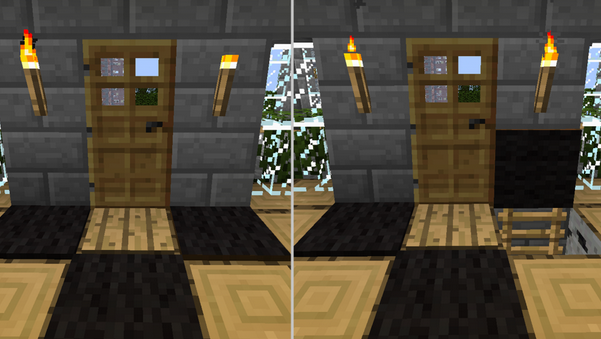
This mod is an incredibly useful addition to hiding your levers and buttons. It gives you the ability to turn torches into levers or buttons as well as hiding buttons in book shelves and brick walls. Even though the buttons stick out slightly, from a front view they are barely noticeable.


Version: Minecraft 1.6

Developer: HitchH1k3r

Requirements: Minecraft Forge


ExtrabiomesXL Mod 1.6.4/1.6.2/1.5.2

ExtrabiomesXL Mod 1.6.4/1.6.2/1.5.2


ExtrabiomesXL Mod 1.6.4

(v3.15.1)

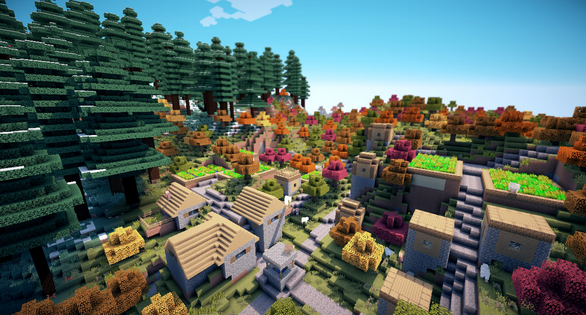
ExtrabiomesXL is a mod for Minecraft. It adds new biomes that enhance game play and make exploring fun and interesting.

ExtrabiomesXL is a collaborative open source project based on the MisterFiber’s original idea and mod.


Game Play information:
List of biomes
List of blocks

How to install this mod
Properly install Minecraft Forge and then place this mod in the “mods” folder.

Changelogs:

v3.15.1
Updated New Dawn API
Fixed crash on Server due to code running that should only run on the client.
Fixed version number in mcmod.info and previous blog post.

Download ExtrabiomesXL Mod